- Dashboard
- Onboarding
- Reconciliation
1. Data Storage & Updates
To ensure fast retrieval and accuracy:- Metrics are calculated daily for the previous day (UTC 0).
- Current-day metrics are updated in real-time when requested by the Core Admin.
- Data must always be up-to-date at the moment of the request.
- Historical balances are available only from the date this feature is released.
2. Dashboard
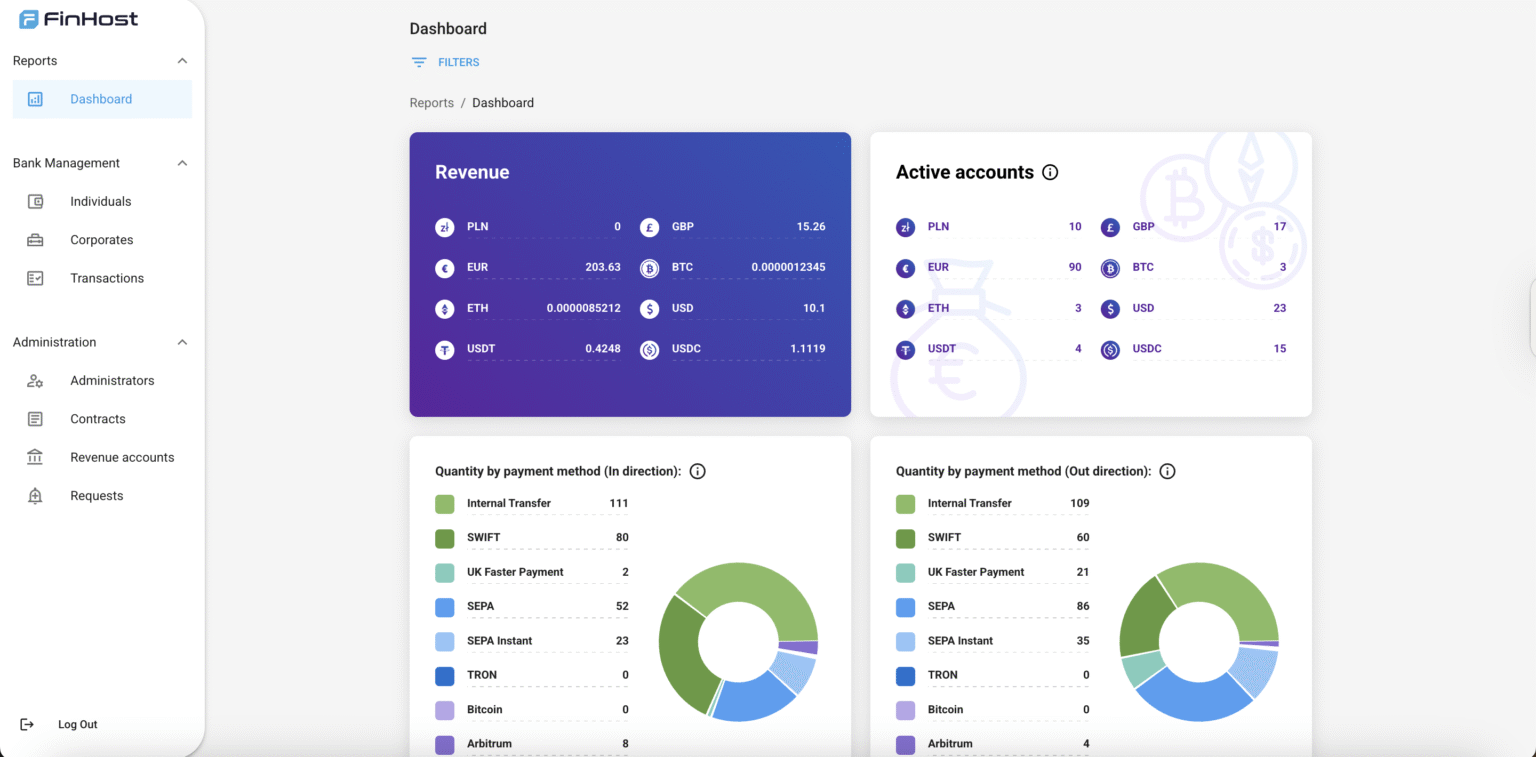
The Dashboard provides high-level financial and operational metrics.Filters
- Period: last 7 days, last 30 days (default), all time, or custom date picker (from–to).
- User type: all (default), individual, corporate.
Metrics
Balances
- Shows the sum of all balances across the system (Available, Reserved, Current).
- Displayed per provider and per currency.
- Balances update in real time when dashboard is opened.
- Balances are also recorded daily at 00:00:00 for historical reporting.
- Balances include revenue accounts as well.
- Available Balance: funds currently accessible for use.
- Reserved Balance: pending outgoing + pending incoming transactions.
- Current Balance: balance from completed transactions only.
- All balances are shown as of the latest date in the selected filter range.
Turnover (Total Transaction Volume)
- Cumulative flow of all external transfers.
- Shown per currency: EUR, GBP, USD, BTC, ETH, USDT, USDC.
Quantity of Transactions
- Total number of transactions through user accounts.
- Split into incoming and outgoing.
Volume by Payment Method
- Money flow by payment method and currency.
- Methods: Internal, SEPA, SEPA Instant, SWIFT, UKFP, Crypto networks, Currency Exchange.
- Split into incoming and outgoing.
Quantity by Payment Method
- Total number of transactions by method.
- Includes internal, fiat rails, crypto, card top-up, and currency exchange (orders).
- Split into incoming and outgoing.
Only completed transactions are considered.
Currency Exchange Volume
- Total amount of currency bought and sold.
- Tracked per currency: EUR, BTC, ETH, USDT, USDC.
Operations by Type
- Shows distribution (%) of different payment methods.
- Formula:
(Transactions of type / Total transactions) * 100% - Exchange = calculated by orders, not transactions.
Revenue
- Total fees collected by currency:
EUR, GBP, USD, PLN, CAD, BTC, ETH, USDT, USDC, TRUMP, TRX.
Fees by Operations
- Fees collected per payment method, split by incoming/outgoing.
- Includes: SEPA, SEPA Instant, SWIFT, UKFP, Crypto networks, Currency Exchange.
AML Success Rate
- Share of transactions passing AML checks.
- Formula:
(Transactions with AML confirmed / Total transactions) * 100%.
Active Accounts
- Number of accounts active in the selected period.
- Fiat account = existed during the period with valid IBAN/account number.
- Crypto account = had at least one transaction during the period.
- Active fiat accounts = accounts with IBAN/account number.
- Active crypto accounts = accounts with at least one transaction.
3. Onboarding (UNDER CONSTRUCTIONS)
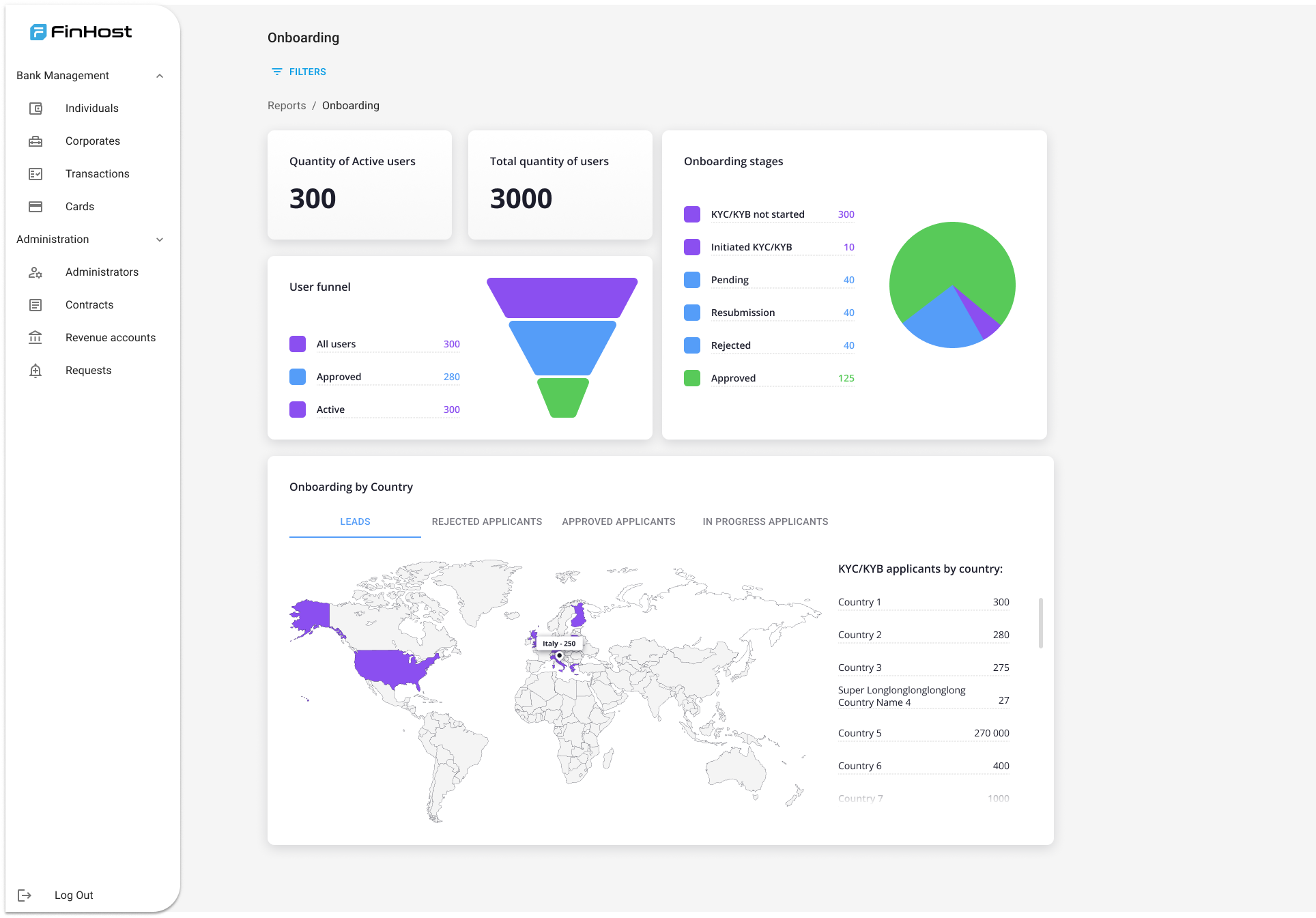
The Onboarding subsection tracks user progress through KYC/KYB.Filters
- User type: all (default), individual, corporate.
Metrics
Total Group
- Total Quantity of Users: fully verified users with contract assigned.
- Active Users: non-suspended users with at least one transaction in the last 30 days.
KYC/KYB Procedure
- Not Started: users with status
unconfirmed. - Initiated: users who opened KYC/KYB but did not complete.
- Pending: documents submitted, waiting for review.
- Resubmission: additional documents requested.
- Approved: fully verified.
- Rejected: permanently rejected.
Applicants by Country
- Leads: users with unconfirmed status.
- In Progress Applicants: initiated, pending, or resubmission.
- Rejected Applicants: rejected.
- Approved Applicants: confirmed.
4. Reconciliation
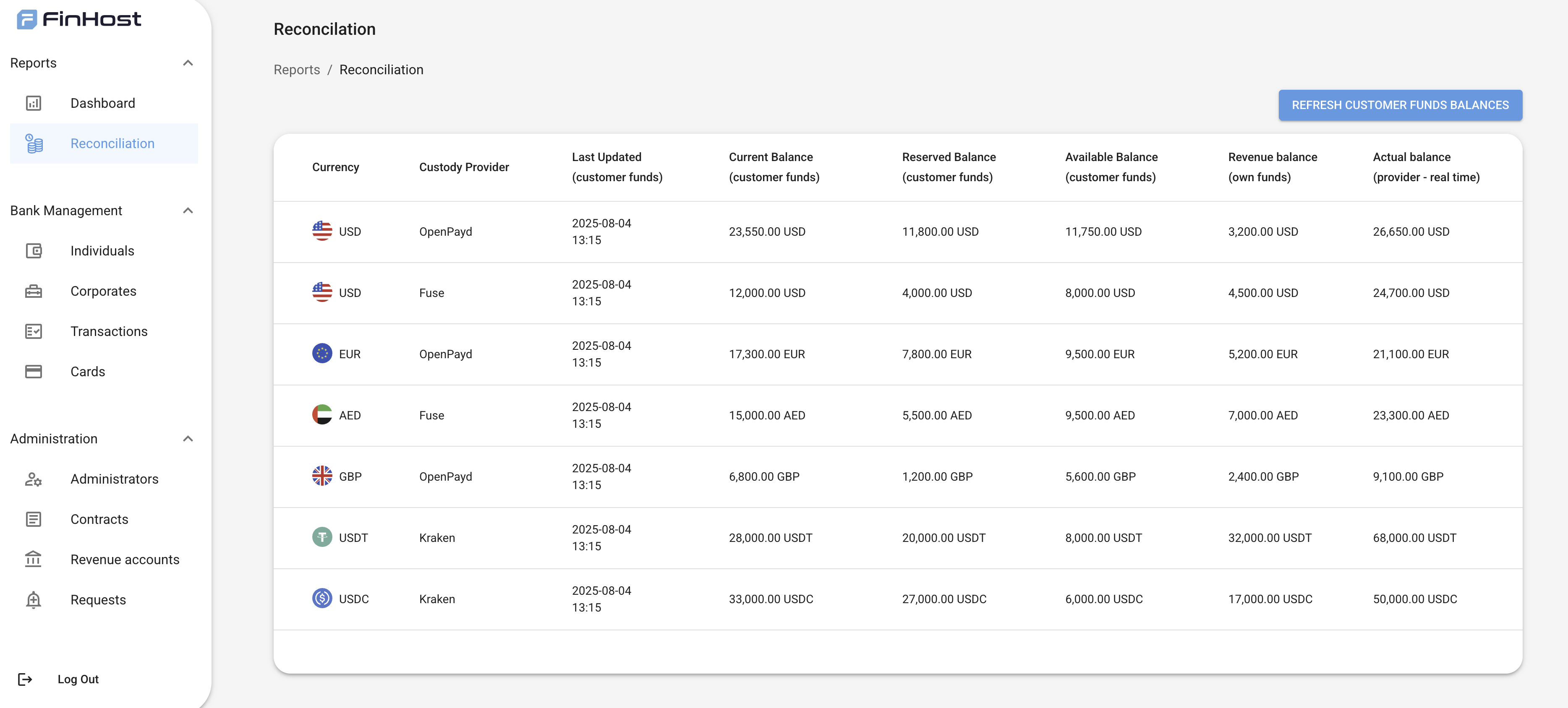
The Reconciliation tab compares internal customer funds data with the actual balances reported by custody providers.It helps Admins ensure accuracy of funds and quickly detect mismatches between internal and provider records.
Data Displayed
For each currency + custody provider pair, the table shows:- Currency
- Custody Provider (e.g., bank, PSP, or crypto custodian)
- Last Updated (timestamp of last data sync for customer funds)
- Current Balance (customer funds) → based on completed transactions
- Reserved Balance (customer funds) → pending incoming + pending outgoing transactions
- Available Balance (customer funds) → immediately spendable balance
- Revenue Balance (own funds) → system’s own revenue accounts for that currency
- Actual Balance (provider – real time) → latest balance fetched directly from provider
Behavior
- Refresh button allows Admins to fetch balances in real-time from custody providers.
- Balances are displayed per currency and provider (e.g., EUR/OpenPayd, USDT/Kraken).
- Revenue accounts are included to show system-owned funds separately from customer funds.
- Discrepancies between customer funds balances and provider balances indicate reconciliation issues.
Example Table